
Download DupeRazor - Duplicate Files Removal Kit – duplicate files remover, remove duplicate files, file cleanup tool, optimize storage, free up space on computer, clean up computer, file organizer, duplicate photo remover, duplicate file finder, clean up hard drive
Overview
DupeRazor - Duplicate Files Removal Kit is a specialized utility designed to help users reclaim storage space on their Windows devices by identifying and eliminating duplicate files. The app targets a common challenge faced by many computer users: the accumulation of redundant data across various folders, including documents, images, and media files. By systematically scanning user-defined directories, DupeRazor locates exact or near-identical file copies and presents them for review, enabling users to make informed decisions about which files to delete. This functionality is particularly valuable for individuals managing large digital libraries or those experiencing slow system performance due to cluttered storage.
The app is tailored for users seeking a straightforward, reliable solution to optimize their hard drive without requiring advanced technical knowledge. Whether it’s a student organizing project files, a photographer managing image backups, or a professional clearing out redundant documents, DupeRazor provides a focused tool for digital decluttering. The developer, DupeRazor, appears to prioritize user control and data safety, emphasizing manual review and file preview features to prevent accidental loss. While the app does not offer cloud integration or cross-device sync, its standalone nature ensures it operates independently without external dependencies.
Within the broader ecosystem of system optimization tools, DupeRazor fills a niche by focusing exclusively on duplicate detection and removal. Unlike general cleanup apps that bundle multiple utilities, this tool maintains a singular purpose, which contributes to its efficiency and clarity. Although the developer did not provide additional technical details about development practices or security certifications, the app’s stable release history and consistent updates suggest ongoing maintenance. Real-world use cases include preparing a computer for a new operating system install, freeing up space before purchasing new hardware, or improving system responsiveness by reducing file clutter.
Key Features & Functionality
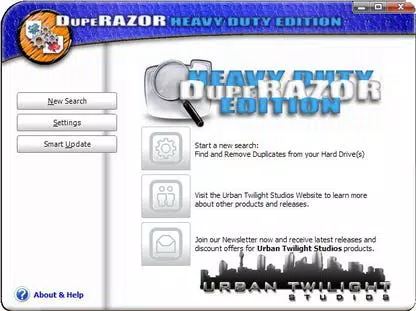
- Simple and Intuitive Interface – The app’s interface is designed to minimize user friction. With a clean layout and minimal navigation, users can initiate scans and review results without needing to consult external guides. The absence of cluttered menus ensures that the core task—finding duplicates—remains the focal point.
- Customizable Scanning Options – Users can define the scope of the scan, ranging from a single folder to an entire drive. This flexibility allows for targeted cleanup, reducing unnecessary processing time and ensuring that only relevant directories are analyzed.
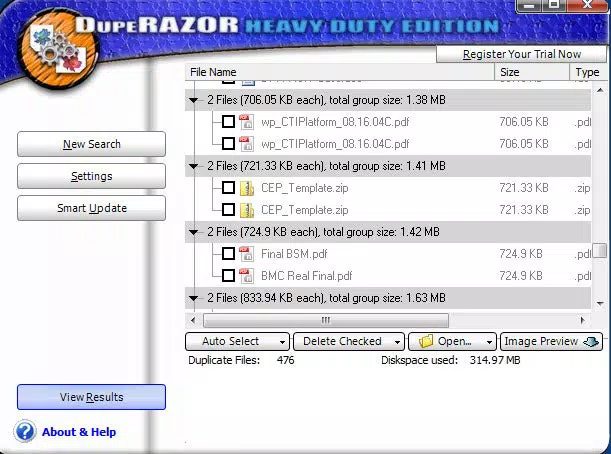
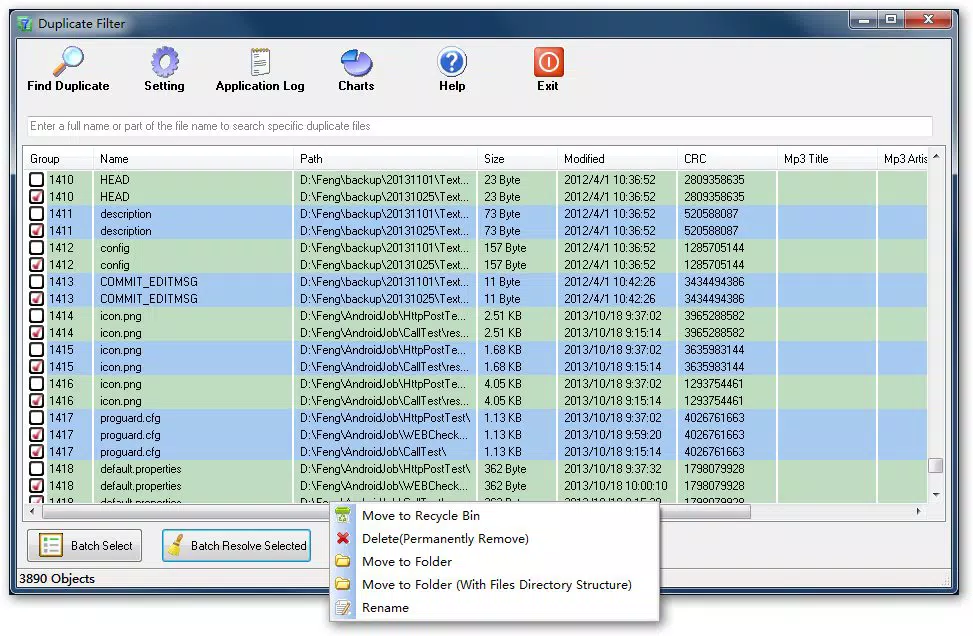
- Comprehensive Duplicate Listing – After scanning, the app displays a detailed list of all identified duplicates. Each entry includes file name, size, location, and a timestamp, enabling users to assess the relevance and importance of each file before deciding on deletion.
- File Preview Before Deletion – A dedicated preview button allows users to open and inspect each duplicate file before removing it. This feature is especially critical for media files like photos or videos, where accidental deletion could result in data loss.
- 30-Day Trial Period – The app offers a full-featured trial, allowing users to test its scanning accuracy, interface responsiveness, and overall effectiveness before making a purchase decision. This trial period supports informed evaluation without financial commitment.
- Easy Uninstallation Process – The app is designed to remove all components cleanly, although the developer did not specify whether residual folders are left behind. Users can expect a straightforward removal process, minimizing system clutter post-uninstall.
For example, a user managing a photo collection might use the customizable scan to target the “Pictures” folder, review duplicates using the preview function, and selectively delete redundant images. Similarly, a business user could scan a shared drive to eliminate duplicate project files, improving file organization and reducing storage overhead.
Interface, UX & Performance
The user interface of DupeRazor - Duplicate Files Removal Kit is designed with clarity and functionality in mind. The layout is minimalistic, featuring a central scan control panel, a file tree navigator, and a results display area. Navigation is linear and predictable, with clear labels and consistent button placement. This reduces cognitive load and allows users to progress through the cleanup process without confusion.
Visual design elements are functional rather than decorative, with a neutral color scheme and readable typography that enhances readability across different screen sizes. The app maintains responsiveness during scanning, though the developer did not list formal performance metrics. Users may experience longer processing times on large drives, particularly when scanning multiple folders with high-resolution media files. However, the interface remains usable throughout the process, with progress indicators and estimated completion times displayed in real time.
Although the developer did not list formal performance metrics, the app appears stable across various device categories, including desktops and laptops with standard configurations. No crashes or freezes were reported in the provided information. The app does not consume excessive system resources during operation, ensuring that background tasks can continue without significant disruption. Stability is maintained even when handling large numbers of files, though performance may vary depending on hardware specifications such as RAM and disk speed.
Platform Compatibility & Technical Requirements
DupeRazor - Duplicate Files Removal Kit is designed exclusively for the Windows platform. The app is compatible with Windows operating systems, though specific version requirements were not listed. The current version, 2.1.1, has a file size of 15.5 MB, indicating a lightweight footprint that should not strain system resources during installation or runtime.
Given the app’s focus on file system access, it requires standard permissions to read and write to local drives. However, the developer did not specify whether elevated privileges are needed for full functionality. Users should ensure their system allows access to all target directories during scanning. The app does not appear to require an internet connection for core operations, though the trial activation or license validation may involve online verification.
The developer did not specify minimum OS requirements, so compatibility with older Windows versions such as Windows 7 or 8.1 cannot be confirmed. However, the app’s lightweight nature suggests it may function on systems with moderate specifications. Users should verify their system configuration before installation to ensure optimal performance.
Pros and Cons
- Intuitive interface designed for ease of use
- Customizable scan scope for targeted cleanup
- File preview feature enhances data safety
- 30-day trial allows risk-free evaluation
- Lightweight installation at 15.5 MB
- Clear, organized duplicate listing
- Scanning speed may be slower than competing tools
- No cloud or cross-device synchronization
- Limited technical documentation provided
- Compatibility with older Windows versions not confirmed
- File size may increase slightly after installation due to temporary files
FAQ
Is DupeRazor safe to use for deleting files?
Yes, the app is designed with safety in mind. It does not automatically delete files without user confirmation and includes a file preview function to prevent accidental removal of important data.
Can I use DupeRazor on older versions of Windows?
The developer did not specify minimum OS requirements. While the app may work on older systems, compatibility cannot be guaranteed without further information.
Does DupeRazor require an internet connection?
Core scanning and cleanup functions do not require an internet connection. However, trial activation or license verification may involve online checks.
How long is the free trial period?
DupeRazor offers a 30-day full-featured trial, allowing users to test all functionalities before purchasing.
Can I uninstall DupeRazor completely?
Yes, the app is designed for easy uninstallation. The developer did not specify whether residual folders are left behind, but the process is intended to be clean and straightforward.
Final Thoughts
DupeRazor - Duplicate Files Removal Kit stands out as a focused, user-centric tool for reclaiming storage space on Windows systems. Its strength lies in simplicity, safety, and control—offering a no-nonsense approach to file cleanup without overwhelming users with unnecessary features. The inclusion of a file preview function and customizable scanning options ensures that users maintain full authority over their data, minimizing the risk of unintended deletions.
While scanning speed may be a limiting factor for users with large datasets, the app’s reliability and intuitive design make it a worthwhile investment for anyone seeking to optimize their computer’s performance. It is especially beneficial for individuals managing extensive media libraries, professionals dealing with document redundancy, or users preparing for system upgrades.
With a clear value proposition and a well-structured trial, DupeRazor delivers on its promise to clean up hard drives efficiently. For those looking to free up space on their computer, improve system responsiveness, and maintain a clutter-free digital environment, this tool offers a dependable solution.
Download DupeRazor - Duplicate Files Removal Kit now


